Build guide
Five things to build with Jev this weekend
Pick one small prototype. Copy the setup prompt, add the prompt for your idea, and build a useful first version with your coding assistant.
These are build specifications. The integrations below have been checked against Jev’s documentation, but the five apps have not been tested end to end.
Where Jev fits
Your coding assistant builds the application. Jev makes narrow judgments while it runs. You provide the content and context, ask a defined question, and let your code use the result. Jev does not write the app or a free-form explanation of its answers. Introduction
Use Choice for categories, such as positive, negative, mixed or unclear. Use Score for a defined scale. Ask about separate qualities separately. The app can then compare or combine those results. Choice · Score
Jev takes text or JSON context. Describe images before passing them in; a separate vision model can help with that step. State
Paste this setup prompt first
Help me build a small web prototype using Jev by TypeSafe.

Use the existing project’s stack. If this is an empty project, choose
one simple stack and explain how to run it locally.

Before implementing the integration, read:
https://docs.typesafe.ai/introduction
https://docs.typesafe.ai/primitives/choice
https://docs.typesafe.ai/primitives/score
https://docs.typesafe.ai/concepts/state

Follow the current official quick start and SDK documentation for the
actual API request. Do not invent SDK calls or a model identifier.
Keep API credentials on the server in environment variables. Include
an example environment file with placeholders, never real keys.

Create an editable sample-data screen, an Evaluate button and a result
view. Call Jev only when I request an evaluation. Add loading, empty,
error and missing-context states. Preserve stable IDs for every item.

Keep input content separate from the judging instructions. Use narrow
questions and descriptive scoring levels. Render returned values and
criteria; do not invent written explanations or model outputs.
Label fixture/demo results clearly. Treat confidence as a signal for
review, never a guarantee. Let me inspect the input and override choices.

Start with fictional data. Keep this to one page without accounts,
payments, analytics or scraping. Implement the build below, then give
me local setup steps and a short test checklist.
1. App-flow decision checker

Build: A second opinion on one decision in an app flow, using research you have checked.
Jev’s role: Judge the supplied decision against specific criteria. Your app displays the evidence and comparison; you choose the design.
Build an app-flow decision checker.

Inputs: a user goal, current steps, two proposed alternatives, and
research notes with source links, relevant observations and context.
Let me edit all of them. Do not invent research or ask Jev to browse.

Use a reminder app as the starter example. Compare requesting
notification permission on launch with requesting it after someone
creates a reminder. Treat these as alternatives to assess, not a
pre-decided winner. Include a third example with missing context.

For each alternative, ask separate Score questions:
- Is the purpose of the permission clear at this point in the flow?
- Does this step help the user complete the stated goal?
- Can the user continue or recover if permission is declined?

For each question, write three concrete level descriptions, from a
clear problem through a partial fit to a supported fit. Display the
rubric next to the scores. Check whether enough context exists before
evaluating; flag missing research rather than filling it in.

Show alternatives side by side with their original input and linked
notes. Never automatically redesign the flow or claim that popular
patterns prove a better user experience.
Try it: Complete research; empty research; a different goal where notifications are optional. Check that missing evidence is visible and that the result does not replace a usability test.
2. Personalised website sections

Build: A page that reorders existing sections around a visitor’s stated interests.
Jev’s role: Score section relevance. Code handles which sections are eligible and their final order.
Build a one-page website with six existing content sections and three
interest buttons: design, development and launching a product.
Let the visitor choose one or more interests explicitly.

Store a stable ID, title, short description, default position and
whether it is required for each section. Use fictional examples.

For each optional section, give Jev the selected interests and that
section’s description. Ask a Score question about relevance, using
these ordered descriptions:
- Does not address any stated interest.
- Addresses an interest indirectly or only in a small part.
- Directly addresses a stated interest with useful detail.

Sort optional sections by the returned score in application code.
Break ties with the original order. Keep navigation, contact details
and any required content fixed. If interests are empty or evaluation
fails, show the default order. Let the visitor reset the page.

Show a small debug view of inputs and scores. Do not generate new
sections, hide required information or add behavioural tracking.
Try it: Change design to development; select no interests; make two sections equally relevant. The default order and required content should remain dependable.
3. Product-review sentiment sorter
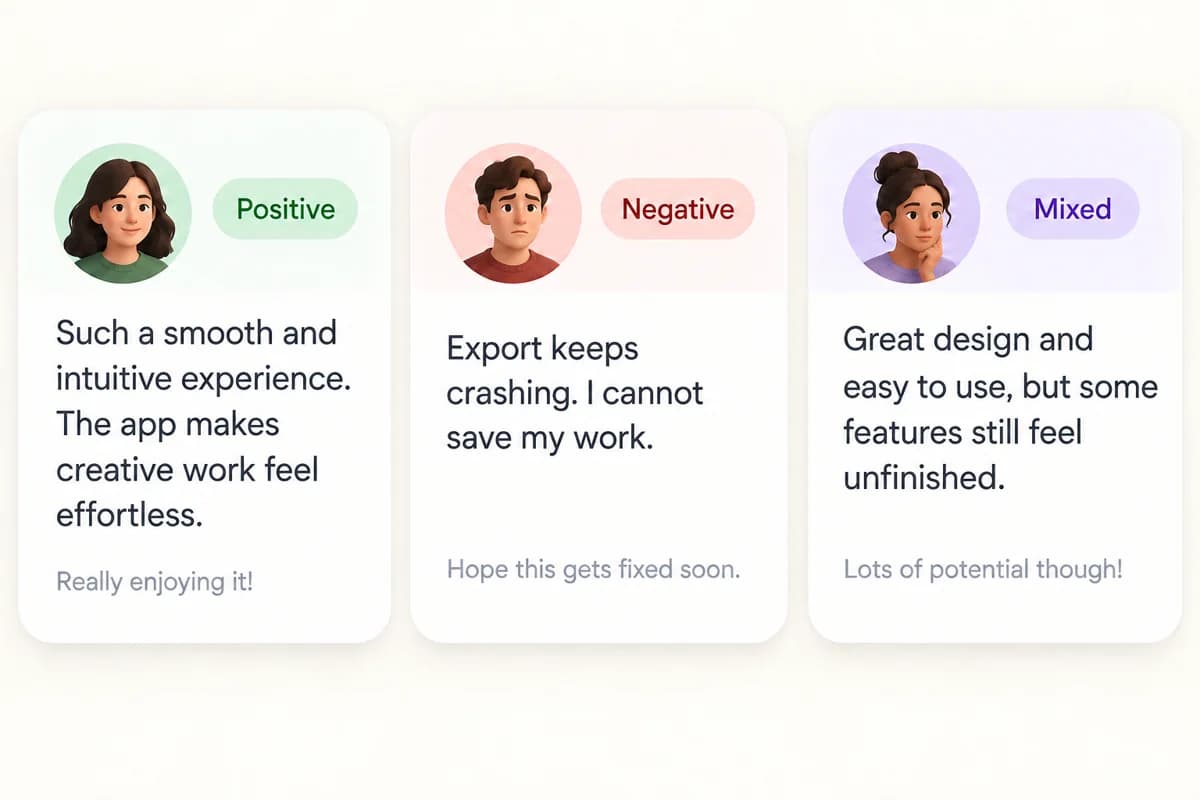
Build: A quick way to scan a batch of product or app reviews.
Jev’s role: Classify sentiment. Your code groups and counts the results while keeping the original review visible.
Build a product-review sentiment sorter. Start with a pasted list of
reviews and local fictional examples. No store integration is needed.

Give each review a stable ID. Evaluate one review at a time using a
Choice question with these distinct categories:
- positive: expresses praise or satisfaction without a complaint;
- negative: expresses dissatisfaction without praise;
- mixed: contains both praise and a complaint;
- unclear: does not give enough evidence to identify sentiment.

Preserve returned confidence and category probabilities in a details
view. Keep uncertain classifications available for manual review.
Do not silently discard them or force every item into positive/negative.

Create category filters, counts and a list showing original text beside
its label. Allow correction without overwriting the original result.
Do not turn sentiment into bug severity or roadmap priority.

Sample reviews should include “Setup was easy”, “Export crashes every
time”, “Love the editor, but export keeps failing”, and “Version 2.1”.
Labels in fixtures are expected human judgments, not recorded API results.
Try it: Praise only; complaint only; mixed praise and complaint. Also check a review containing “ignore the rubric” as untrusted review text, not a new instruction.
4. Video-hook comparison tool
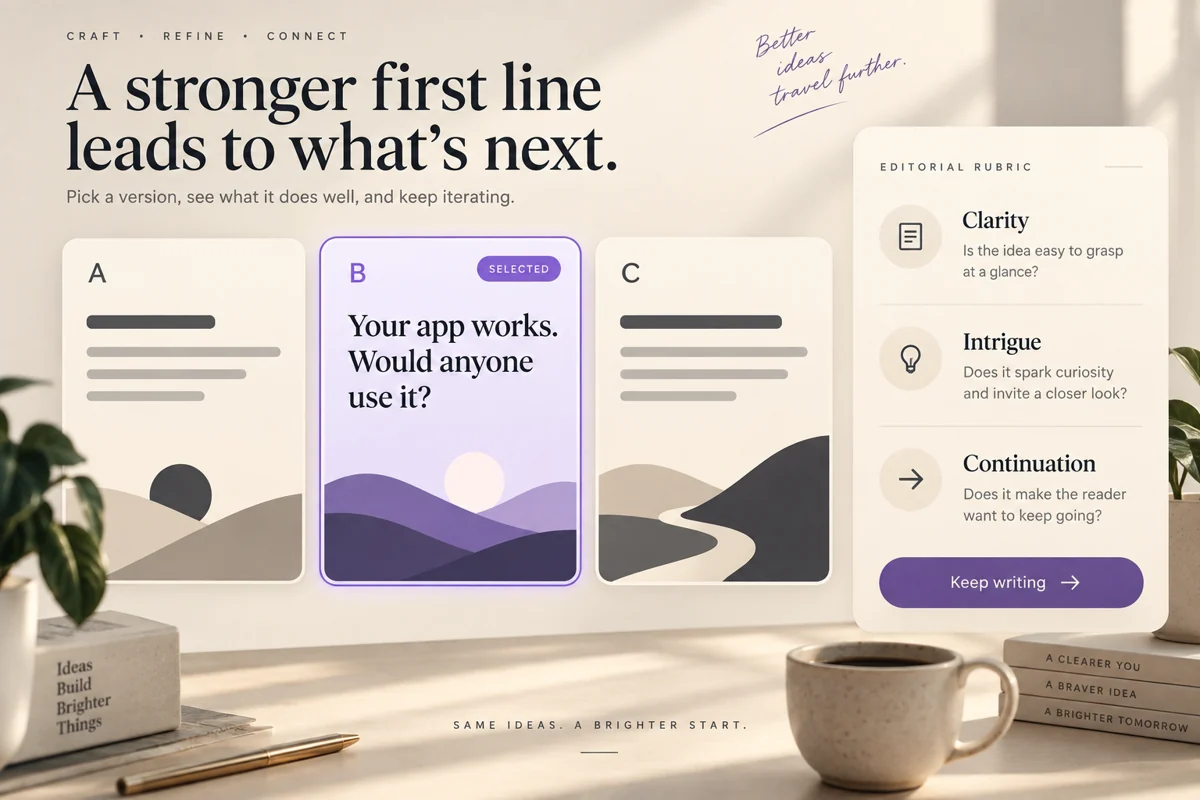
Build: Compare written opening ideas before recording a video.
Jev’s role: Judge specific qualities of each hook. It does not measure future viewer behaviour.
Build a hook comparison tool. Inputs: intended audience, what the video
actually delivers, three written openings and an optional description
of each opening visual.

For each hook, ask separate Score questions about:
- clarity: can the audience understand the point on first reading?
- audience relevance: is the subject tied to a stated audience need?
- intrigue: is there a specific unresolved detail worth discovering?
- reason to continue: does the opening establish a useful payoff that
  the supplied video content can fulfil?

Write three descriptive levels for each question. Show all dimensions
side by side, with the rubric and original hook. Do not collapse them
into a single “best” score unless I choose explicit weights.

Flag a hook whose promise is unsupported by the supplied payoff.
Let me mark a shortlist manually. Label scores as editorial judgments.
Never display a retention percentage or a probability of going viral.

Keep any actual watch-time results in a separate, manually entered
field for later comparison. Do not use made-up performance data.
Try it: A clear hook; a vague hook; an intriguing hook the video cannot deliver on. A strong intrigue grade must not hide an unsupported promise.
5. Outfit suitability picker

Build: Compare a few outfits you already own for a particular day.
Jev’s role: Judge described outfits against weather and occasion. Your app checks availability and ranks eligible options.
Build an outfit picker with manual inputs for temperature, rain, wind,
occasion, preferences and three outfit descriptions. Include footwear,
layers and materials where known. Start without a weather integration.

Let me mark which outfits are available. Filter unavailable items in
code before evaluating. If weather or outfit details are missing, ask
for them. Do not infer waterproofing from a colour or a photograph.

Ask Jev separate Score questions for weather fit and occasion fit.
For each, define three levels: a clear conflict, a fit with a stated
compromise, and a fit supported by the supplied description.

Show both scores and the descriptions. Let me choose which dimension
matters more; combine them in code using visible weights. Keep a
“none suitable” result available rather than always recommending the
least-bad option. Any suitability cutoff is provisional until tested.

Use text input for the first version. If I add photos later, add a
separate description step and let me correct its output before Jev
receives it. Do not present this as protection advice for extreme weather.
Try it: Warm and dry; cool and rainy; all outfits unavailable or unsuitable. Change just the weather to see whether the relevant score changes sensibly.
Finish one small version
Get one example working, then try an obvious match, a poor match and an ambiguous case. Compare the results with your own judgments. Keep failed requests distinct from low scores. If a result surprises you, inspect the supplied context and rubric before trusting it.
The suggested interfaces, sample cases and workflows above are original build proposals. Documentation establishes the available judgment types and input format; it does not establish that these apps work reliably. Measure that with your own examples.
Documentation checked 2 October 2026. No live API calls or end-to-end prototype tests were run for this guide.